
Working
Yellow steady shows background work is still running.
A rechargeable Bluetooth status light that shows when AI workflow tasks are running, waiting for you, finished, or need attention.
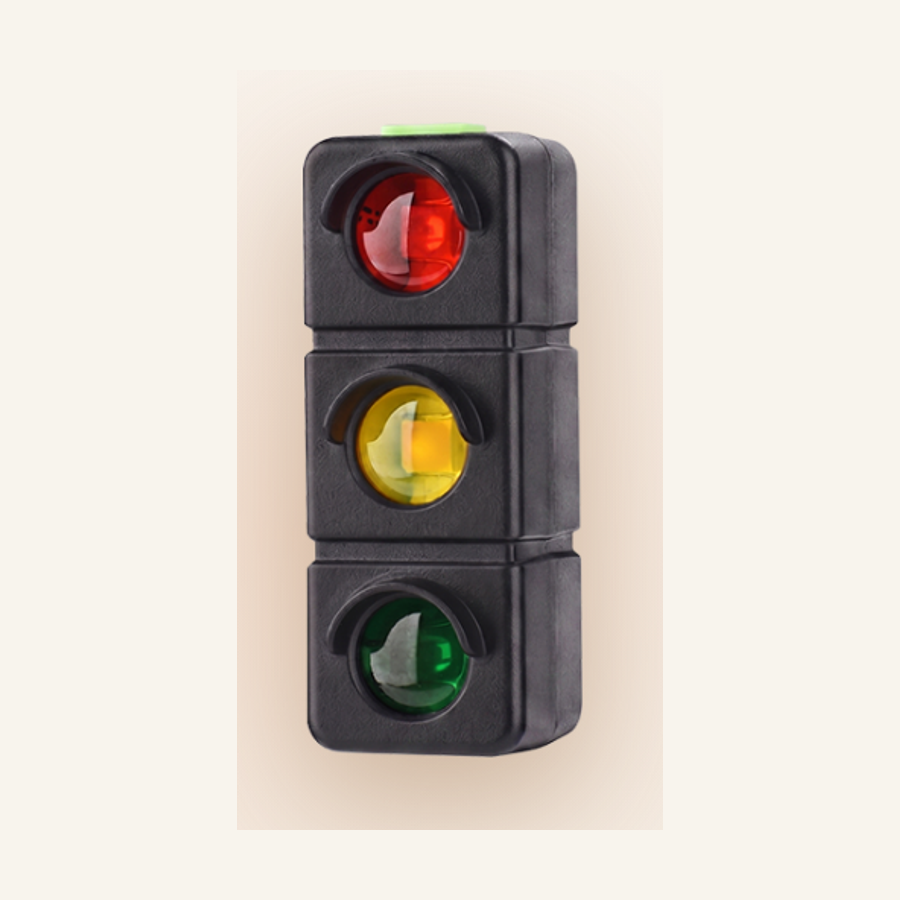
AI Signal Light turns background AI workflow progress into a small physical cue on your desk, so you can keep working without constantly switching back to the editor.
Yellow steady shows background work is still running.
Yellow blink means there is something to approve.
Red blink makes a failed run hard to miss.
Green steady lets you know the task finished.
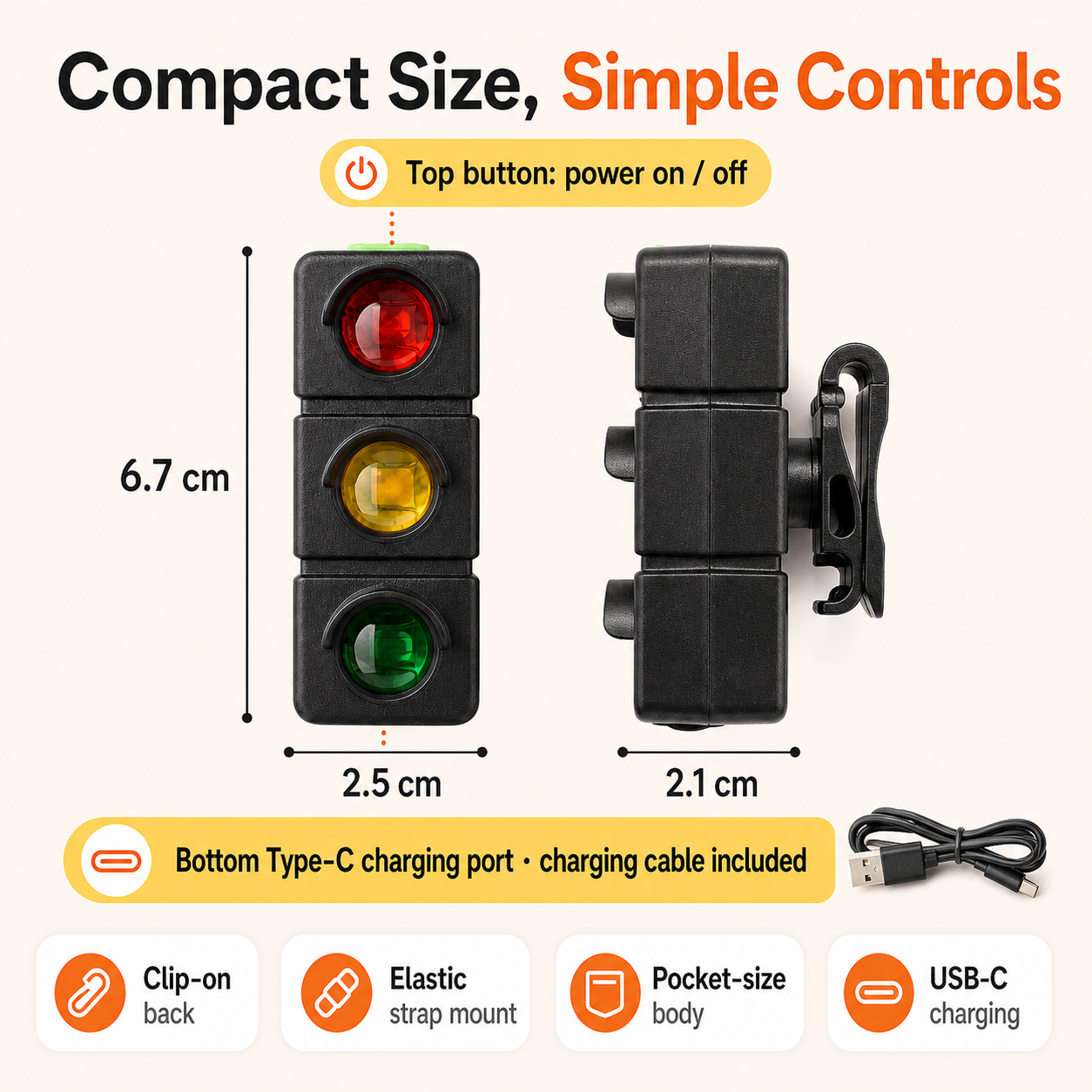
The light measures about 25 x 67 x 21 mm, connects over Bluetooth 5.3, charges by USB-C, and can be positioned with a clip or elastic strap.
Rated for about 20 m effective distance in open conditions.
About 4 to 5 days under typical 8-hour workdays.
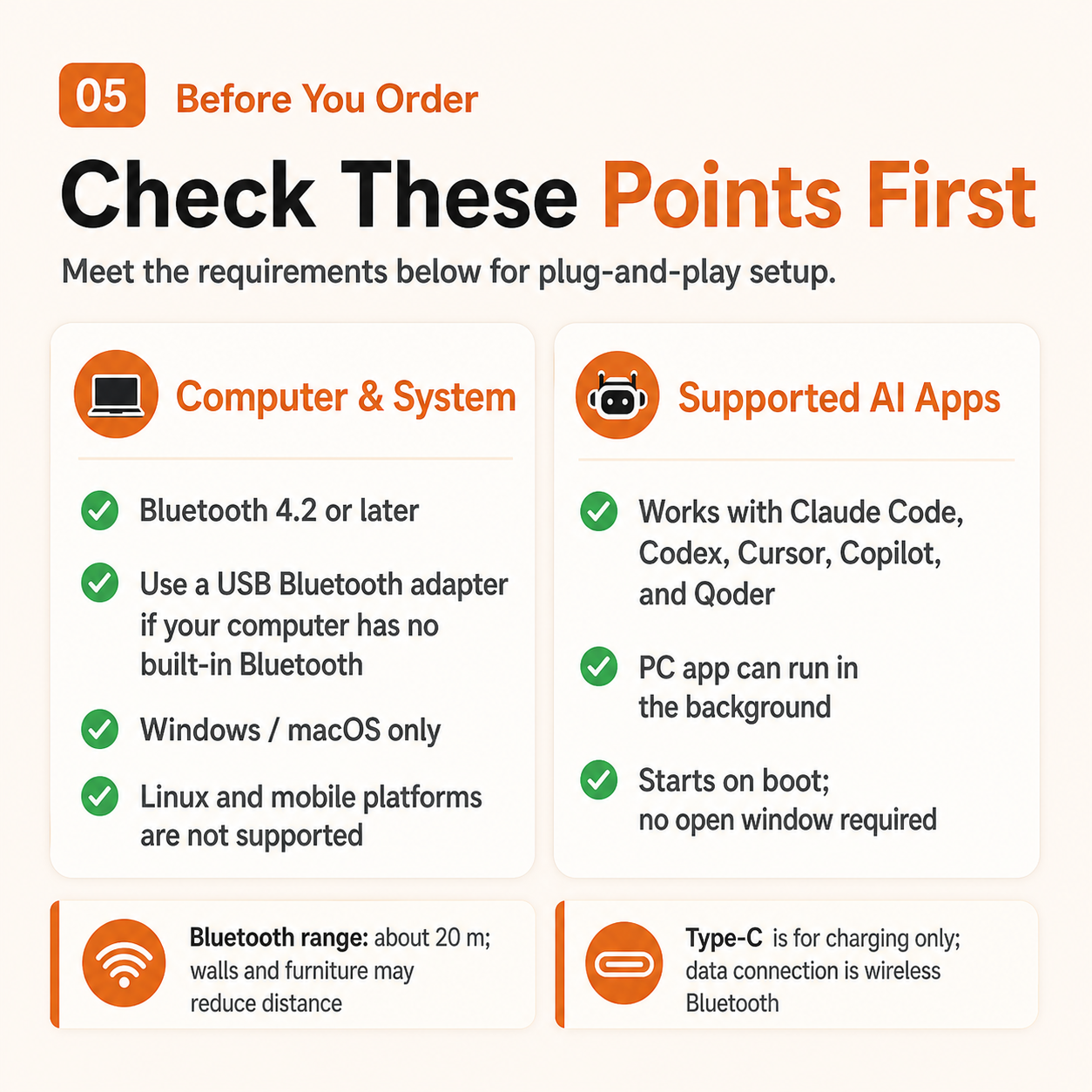
USB-C is for charging only. The computer link is wireless.
Linux, phones, and tablets are not currently supported.
The translated product visuals show the app dashboard, status map, multi-light pairing, and the purchase checklist in one quick scan.
View product details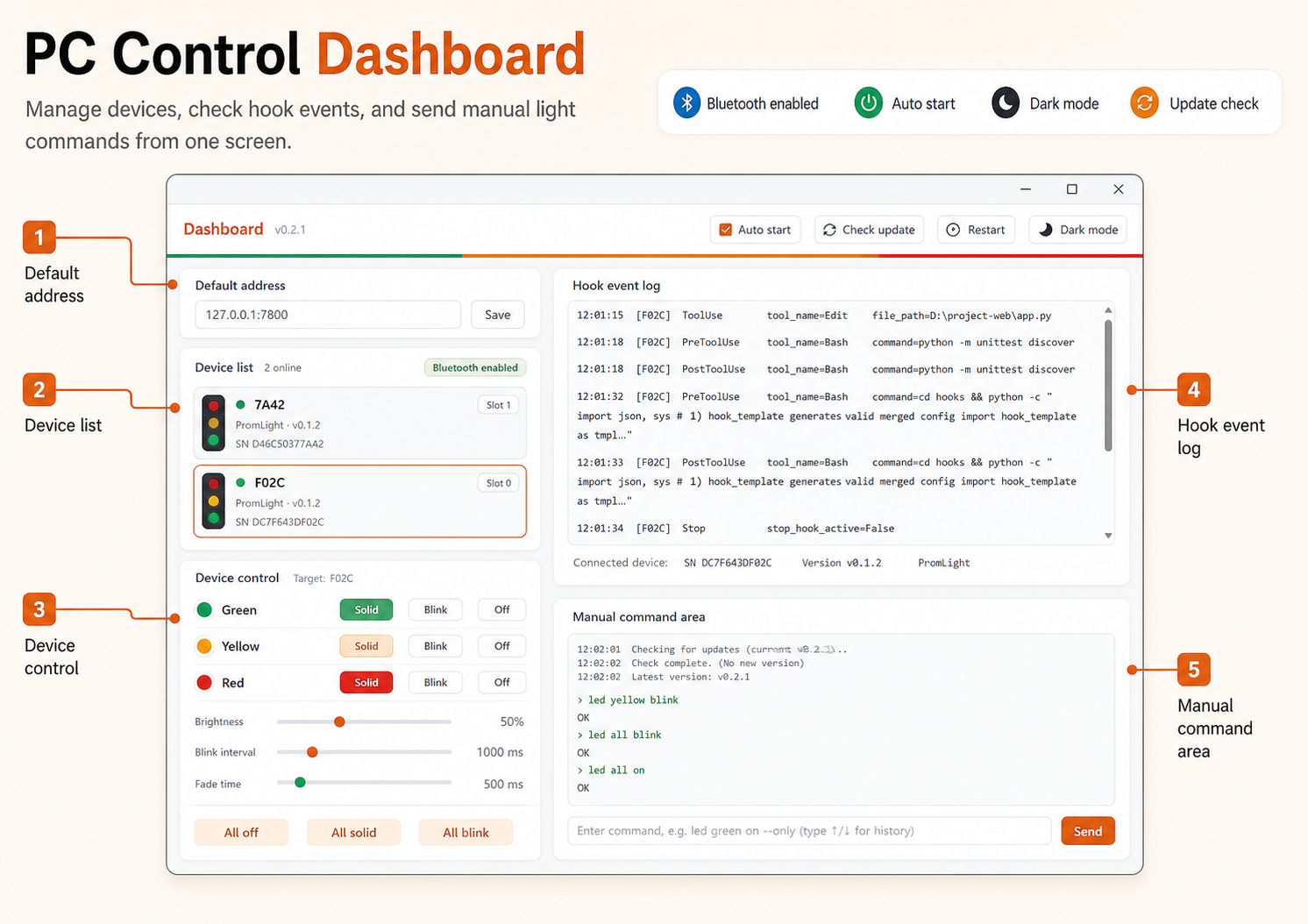
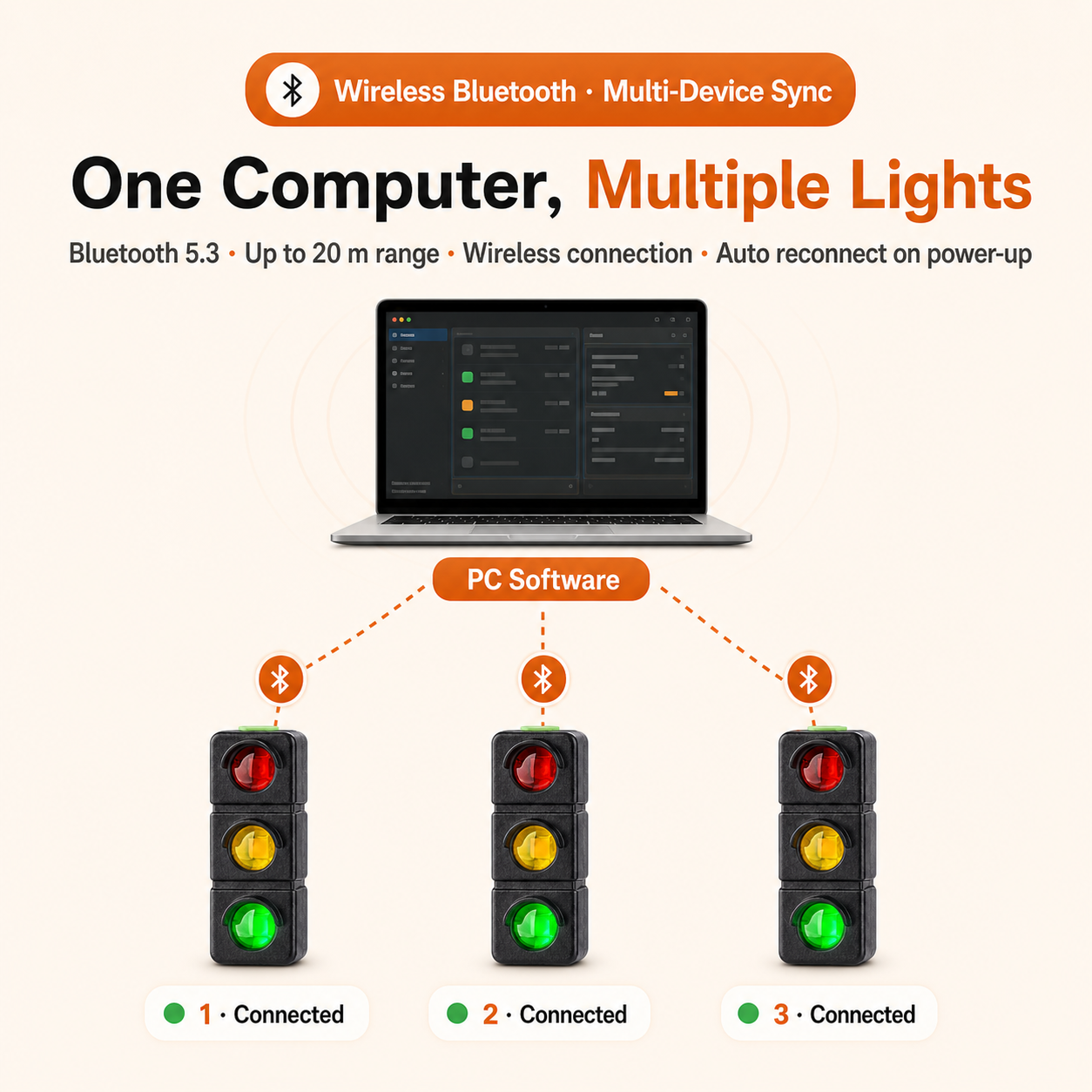
Pair the light with your computer, choose the color meanings, and place it where you can notice it without turning it into another screen.
Use the USB-C port and place the light where it is easy to see.
Connect the light to a Windows or macOS computer over Bluetooth.
Map the color states to the moments you want to notice.
Confirm each color before using it during focused work.
AI Signal Light is sold with clear limits: Windows and macOS support are listed, while Linux, phones, tablets, and certification claims are not assumed.
The product is not meant to replace your editor. It gives the most important state a visible desk signal, so the next action is easier to notice.
The signal sits in peripheral vision instead of another tab.
Red, yellow, and green states make the next action easy to read.
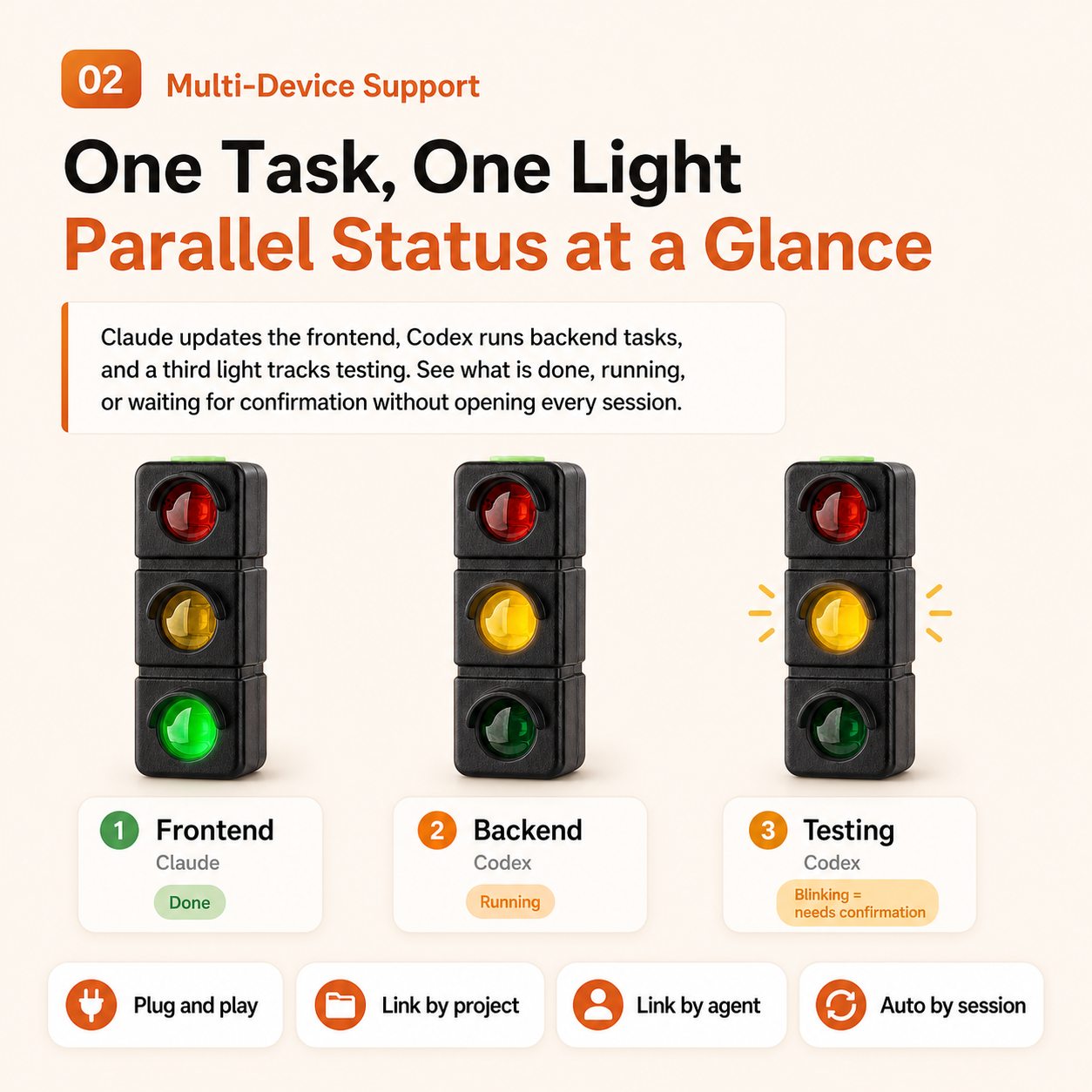
One computer can be used with more than one light when your setup needs it.
You can test each signal before relying on it in a real session.
AI Signal Light is simple Bluetooth status light hardware, but compatibility, charging, mounting, and setup still matter before you order.
Read the setup guideAI Signal Light is a rechargeable Bluetooth desk light for background AI work. It turns running, waiting, done, and attention-needed states into red, yellow, and green signals so you do not have to keep checking the screen.
Current compatibility notes list Claude Code, Codex, Cursor, Copilot, and Qoder. Confirm your exact desktop setup before relying on it for critical work.
The listed mapping is yellow steady for running, yellow blink for waiting on your confirmation, red blink for attention needed, and green steady for done.
No. The USB-C port is for charging only. The computer connection is wireless over Bluetooth.
The listed range is about 20 m over Bluetooth 5.3. Real-world range can be lower when walls, furniture, metal surfaces, or wireless interference are present.
The listed battery is 400mAh and rated for about 4 to 5 days when used 8 hours per day. Actual runtime depends on brightness, blink patterns, and connection behavior.
Current setup notes say one computer can connect to multiple AI Signal Light units. A reliable maximum count is not listed.
The listed platform support is Windows and macOS. Linux, phones, and tablets are not currently supported.
The desktop app is designed to run in the background and start with the computer. The light depends on that local app for signal updates.
The desktop app shows connected devices, per-light controls, and manual test commands so you can confirm each color before using it during work.
AI Signal Light includes a back clip and elastic strap for simple placement around a desk setup. Confirm your exact mounting surface before relying on it.
The listed body size is about 25 x 67 x 21 mm, compact enough for a monitor edge, desk shelf, or nearby stand.
Cloud behavior is not currently specified. Confirm setup requirements before relying on offline-only or cloud-free use.
CE, FCC, RoHS, waterproofing, drop resistance, and similar compliance properties are not currently listed.
Package details include the AI Signal Light device, a charging cable, and clip or strap mounting hardware. Any bundle-specific extras should be confirmed at checkout.
It is for people who run AI tools in the background and want a physical desk signal for work that is running, waiting, done, or needs attention.
Order AI Signal Light for a compact Bluetooth status light with red, yellow, and green desk signals beside your focused work.